Brief

*Because of the non-disclosure agreement (NDA), the real interface, market information, and software structure cannot be revealed in this portfolio.
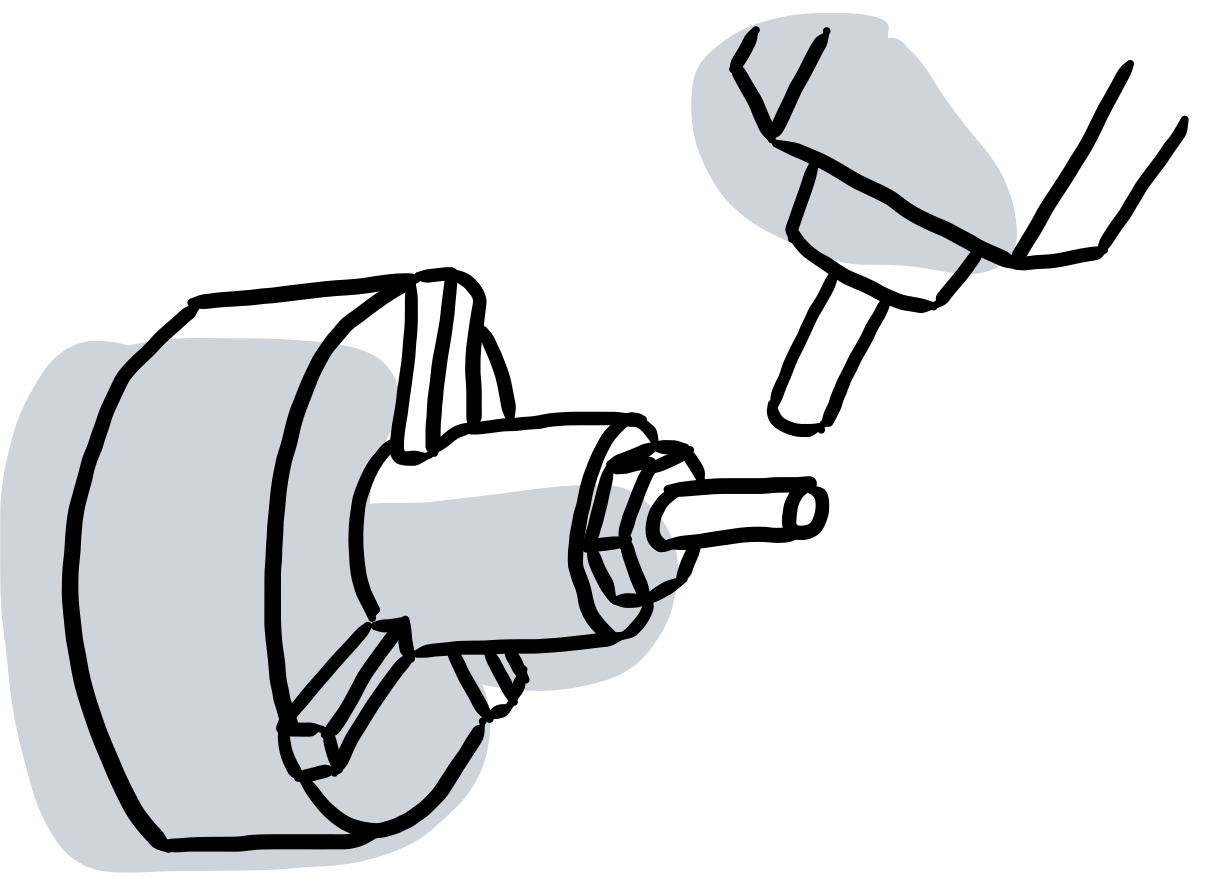
There are two common types of computer numerical control (CNC) machines: lathe and milling machines. If a workpiece has both turning and milling features, the workpiece has to be processed separately on lathe and milling machines. Since it has to be transferred from one machine to another, the process lowers efficiency and precision. The turn-milling machine integrates the two processing methods so that the workpiece can be processed on one machine. As a result, turn-milling machines can bring higher efficiency and precision.
Syntec Technology Co., Ltd., Taiwan’s leading machine controller manufacturing company, gained a high market share of the turn-milling machine in South China. One of the highest costs to the company was customer service, since the clients often used improper NC files containing machine instructions. Therefore, Syntec wanted to offer a solution for the clients to generate high-quality NC files.
My Role
Product Engineer
- Product Strategy Design
- Software Development
Skill
- C++
- Open Cascade
- Qt
Timeline
2019/6 - 2020/12, 1.5 years
Team
Syntec Technology Co., Ltd.- Tsun-Tse Huang
- Yuan-Hao Lu
- Kun-Ting Liao
- Chang-Ya Yen
- Yao Fang
- Chuan Hsu
Background

There were three potential reasons leading to processing failure: NC files, controllers, and machines. When users produced unexpected shapes or poor surface quality, it was not easy for them to identify the cause of the failure. Customers often requested services for troubleshooting. Field application engineers from Syntec spent a long time reproducing and analyzing the problems. Such a process was costly to the company, even though the problems were not caused by the controller. Instead, improper NC files generated by third-party CAD/CAM software were one of the main reasons based on the records of customer service.

CAD/CAM software was designed to assist users for producing NC files. Because of its complexity, turn-milling CAD/CAM software was generally not easy-to-use for novices. For example, it was necessary to set parameters for different machines, so users must have a detailed understanding of each machines. Some clients who lacked specific knowledge often generated unusable NC files due to misuse of the software. As a result, they processed unexpected workpieces.
In order to solve the problems, the company planned to offer our own CAD/CAM software for customers. Since the software guided the user to generate the NC files compatible with our controllers, the cost of training and customer service could be reduced. In addition, the integration experience would also increase the customer's loyalty to our brand.
Initial Phase
In the beginning, I collected information to get an overview. I iterated between investigating competitive products and visiting clients to create a product blueprint. As a result, I provided the company with informative reports to reach a decision for the next step.

Investigate Competitive Products
I researched multiple turn-milling CAD/CAM on the market and categorized information in the following aspects:
- Targeted Platform:
- Desktop: The desktop version offered comprehensive and flexible features. After generating NC files, users had to transfer the files into the machine controllers to process. This version could create files compatible with different types of machines with corresponding settings.
- Embedded System: It was a conversational window on the controller. The interface guided users to generate workpieces. Since the software was embedded in the controller, users did not have to set complicated machine settings on the interface. However, since users relied on several buttons to interact with machines, it was hard for users to complete complex tasks.
- Cutting Toolpath Type: rough turning, finish turning, grooving, drilling, pocketing, etc.
- Module Planning:
- CAD: Creating 3D models of the workpiece.
- CAM: Generating tool paths for each operation.
- Tool Manager: Managing tool library.
- Post-Processing: Post-processing for generating NC files to specific machines.
- Simulation: Simulate the machine's movement and detect collision.
- Sales: price, perpetual licenses v.s. subscription, extension modules, and after-sales service (e.g., machine setting, training, customized project, etc.)
- Compare the workflow of the same workpiece on competitive products.
→ These allowed me to assist the company in decision-making and to have reference to design software.
Visit Clients
The feedback from the clients enabled me to realize their real needs. Since the clients were experiences in practical manufacturing, I visited them and conducted interviews. I prepared questions about their usage habits and the reasons for choosing specific CAD/CAM software. The clients demonstrated how they generated NC files and transfer the files on machines to execute. I observed details which were not apparent when only interviewing online. For instance, the clients used the software in their office and transferred the files to the plant. Moreover, highly experienced operators generated complicated NC files without the assistance of CAD/CAM software. Both examples made me consider the different use cases, allowing me to narrow down the target users.
Also, the clients provided me with common workpieces they produced via turn-milling machine. Those workpieces helped me to examine the competitive products by trying to generate NC files for them. The process gave me comprehensive experiences in evaluating those products.
→ Knowing clients’ basic needs, I determined measurable milestones for each stage of the development process. Each milestone was designed to demonstrate specific capabilities of our product to attract clients.
Determine the Project Direction
Our team considered an acceptable price range and sales model. Even though bundling with other CAD/CAM software was an option, our team decided to develop the software on our own and integrated the commercialized toolpath engine to develop the software.
Software Design
Feature Set
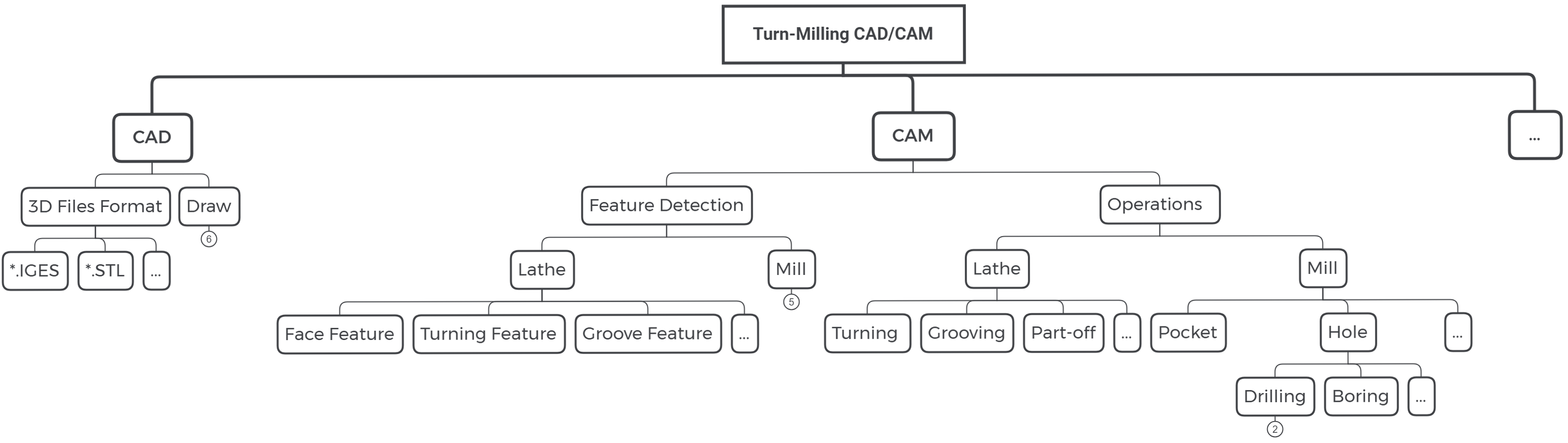
Based on the previous investigation, I designed the feature set as a reference to select the toolpath engines and to develop the software.
Designing Workflow and Wireframe
I defined the workflow to perform the task:
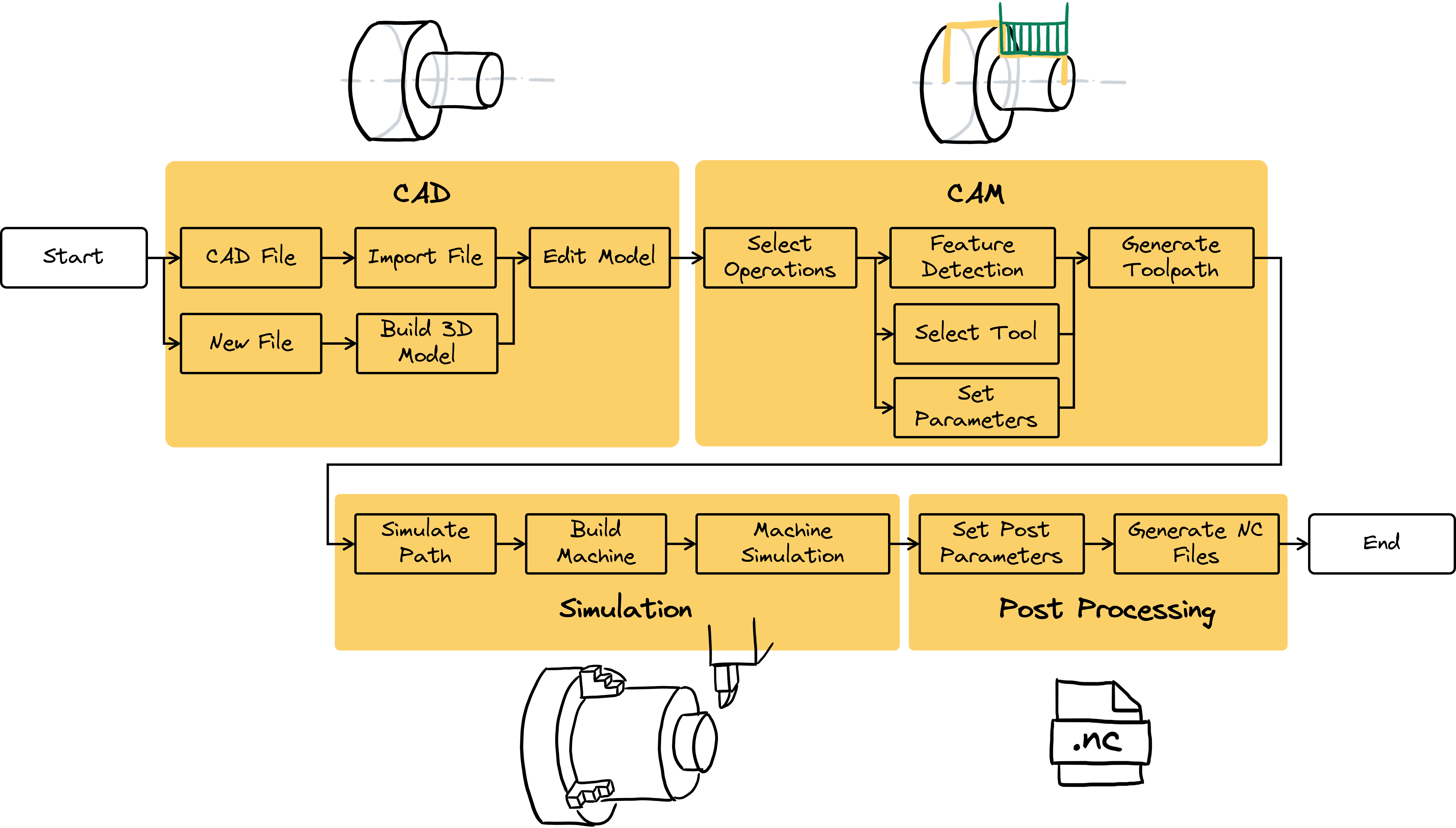
Also, I drafted the layout. The wireframe allowed teams to discuss and provide constructive feedback. For example, as a co-worker pointed out, we should add illustrations to explain parameters more clearly. Moreover, the menu bar should hide some items below to make a clear interface.

Planning the Software Structure
The software structure diagram facilitated our team to think about the big picture of our programs. In the implementation phase, we cooperated with another team from China. The structure diagram helped us to discuss and distribute the workload more efficiently. It was an effective tool for defining the expected interactions and delegating responsibility to each component.
Implementation
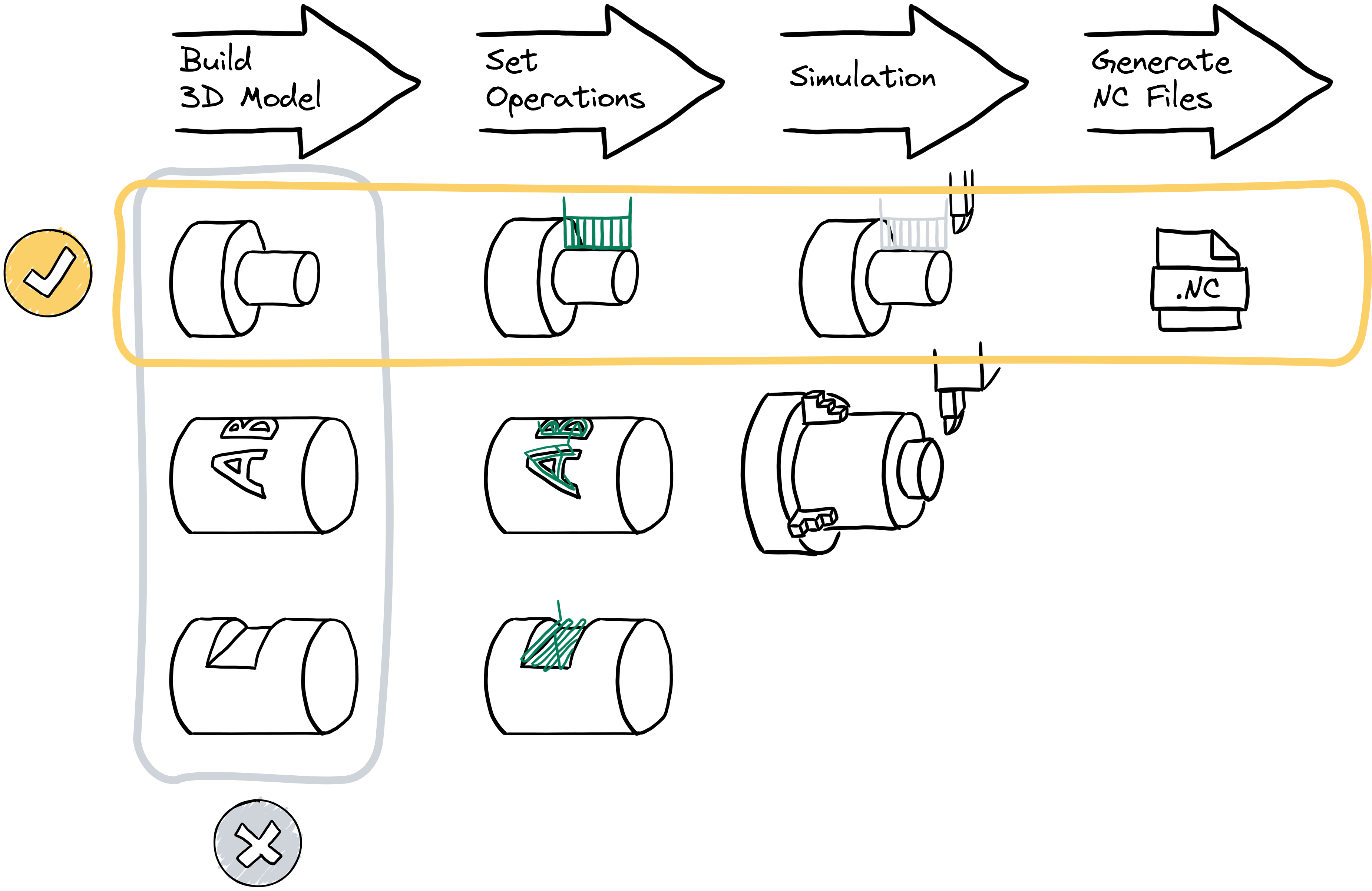
The plan for the development of software was to allow users to generate a basic NC file as soon as possible. Since this software required many features, if we focused on delivering comprehensive features in one step, it would be difficult to ask clients to test and provide feedback to improve our product incrementally. Therefore, we prioritized completing basic functions for each module in the user workflow first. Clients could test every module in the software, from building 3D models, setting operations, simulation, to generating NC files. Through the feedback given by users, we can iteratively improve the software to meet users’ needs.
Result
I worked on the product for one year, and it achieved the first yearly milestone:
- Simulating and producing NC files for rough turning, finish turning, drilling, and engraving.
Reflection
Our team completed a working pipeline without extra features in a relatively short amount of time. The plan allowed users to get involved in the development process easily. Our team got feedback from users directly. Their opinions helped us adjust the software design and the priority of each subtask.
In this project, I had the opportunity to collect many different user profiles. I used this information to modify the design of the software. For example, experts and novices had different knowledge in manufacturing. The software hid some options for novice users in order to ease their learning curve. However, the software was also flexible for experts, providing a fully featured tool for them to customize.